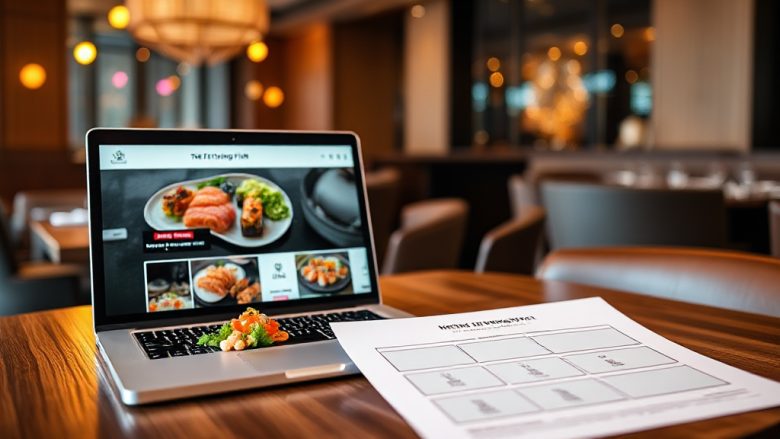
Reading a Restaurant Website: A Three-Part Lesson
By the end of this short lesson, you will be able to map any restaurant website’s main sections in under two minutes. That skill matters because a clear site tells you where to find the food, how to order, and whether the page you landed on actually belongs to the restaurant. We will practise on a real example: the site of The Flying Fish, a Japanese restaurant in Richmond Hill. Along the way you will also learn why a stray page such as meme 4d can appear on an otherwise ordinary restaurant domain — and how to recognise it as unrelated.
Lesson Block 1: Map the Four Core Sections
Most restaurant websites are built around four jobs: show the food, take the order, display the room, and hold a table. Your first task is to find each of those jobs in the navigation bar or main menu. Read the labels from left to right and say out loud what each one promises.
Menu, Order, Gallery, Reservations
On The Flying Fish site, the main sections are menu, order, gallery, contact and reservations. That is a standard and sensible layout. The menu page describes the dishes, including authentic sushi, sashimi and a new type of sushi. The order section explains how to place a takeout request. The gallery shows photographs of the dining room and plated food. The reservations section tells you how to book a table.
Notice the pattern: two sections are about information (menu, gallery) and two are about action (order, reservations). Contact sits between them as a catch-all. When you can sort the links into those two groups, you already understand the site’s purpose.
A two-minute mapping drill
- Open the home page and ignore the large banner image.
- Read every top-level navigation label once, without clicking.
- Write each label under one of two headings: learn or do.
- Click the menu link and confirm it lists dishes, not unrelated articles.
- Check that the reservation link asks for a date, time and party size.
If steps four and five behave as expected, you are looking at a working restaurant site. If they do not, treat the site with caution.
Lesson Block 2: Spot a Page That Does Not Belong
Websites are not always tidy. Domains get reused, old pages stay live, and sometimes unrelated content is published by mistake or by a third party. Learning to notice this is a core part of evaluating any site, restaurant or otherwise.
Three signals of a misplaced page
- The topic breaks the pattern. A page about lottery-style number games has nothing to do with sushi, reservations or a dining room.
- The navigation does not link to it. If you can only reach a page through a search result or a stray link, it is probably not part of the intended structure.
- The tone and design differ. Different fonts, colours or writing style suggest a different author or template.
The meme 4d page on this domain is a clear example. It sits apart from the food, order, gallery and reservation sections, and it does not describe a restaurant service. You do not need to read it closely. Recognising that it is off-topic is enough, and you should return to the menu section for the information you actually came for.
Why this matters for diners
A single odd page does not mean the kitchen is unreliable, but it does mean the site is not perfectly maintained. Use the sections that are clearly about the restaurant, and confirm details such as opening hours by phone or through the reservation form. Good judgement means separating the useful pages from the noise around them.
Lesson Block 3: Turn Navigation Into a Decision
Once you can map a restaurant site, the navigation becomes a tool for deciding what to do next. Ask yourself one question at each section: does this page answer what I need right now?
Matching your goal to the right section
| Your goal | Section to open | What to check |
|---|---|---|
| See what is served | Menu | Dish names, sushi and sashimi options, prices |
| Get food to go | Order | Ordering steps and pickup details |
| Judge the setting | Gallery | Dining room photos and plating |
| Book a table | Reservations | Date, time and party size fields |
This table is the heart of the lesson. Match the goal to the section, and skip everything else. A diner who wants a table should never end up reading an unrelated page, and a diner who wants the menu should not have to hunt through the gallery.
Closing exercise
Choose one restaurant website you have never visited. Set a two-minute timer and complete these four tasks: name the menu section, name the ordering section, name the gallery section, and name the reservation section. Then look for any page that does not fit the restaurant’s topic. Write one sentence explaining why it does not belong.
Repeat the exercise with a second site and compare your notes. You will quickly notice that clear sites share the same skeleton, and that misplaced pages stand out because they break it. That habit — mapping first, judging second — is the whole skill, and it takes less time to use than it took to read this lesson.